


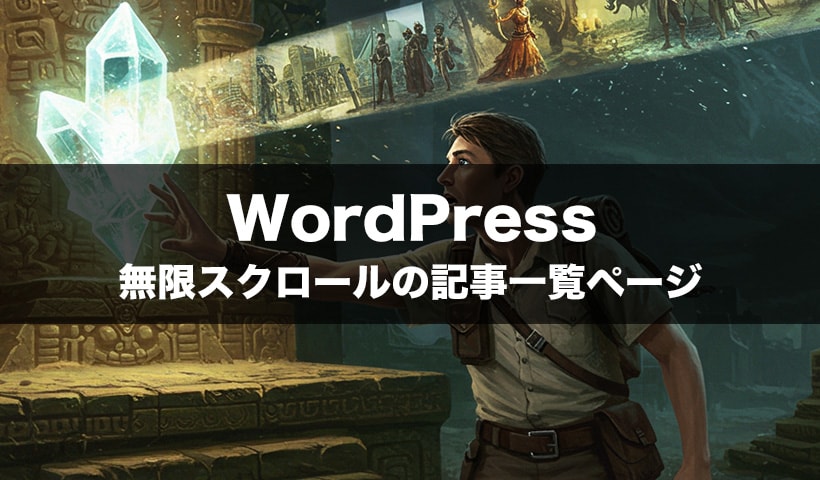
かつて無限スクロールというのが流行りました。
今はあまり見なくなりましたが、InstagramやX(旧Twitter)、Pinterestなど、SNSではまだ広く採用されています。
スマホのようなデバイスと相性がいいとか。
この無限ワードが偶然耳に入りましたのでwordpressでやってみようと思いました。
どうやるのでしょう。検索しました。
参考:ページ離脱を防ぐ「無限スクロール」をShopifyに実装する方法
https://plus-shipping.com/blogs/shopify-infinite-scroll

無限スクロールには、主に次の2種類の方式があるということ。

自動ロード方式:
ユーザーのスクロール位置などに応じて、コンテンツを自動で読み込む方式。

手動ロード方式:
「もっと見る」や「Load more」といったボタンを設置し、ユーザーがボタンをクリックしたタイミングで次のコンテンツを読み込む方式。
読んでもよくわかりません。手動ロード方式にしようかな。
今はAIがあります。
【共有】手動ロード方式ソースコード
無限スクロールにはAJAXを使うということでございます。
ほか実装するにあたってAJAXエンドポイントの作成します。
・load_more_posts.phpファイルを作成
・WordPressのセキュリティ機能(nonce)を使用
・ページネーション機能で追加記事を取得
基本的な流れ
ユーザーが「Read More」ボタンをクリック
↓
JavaScript が AJAX で load_more_posts.php にリクエスト送信
↓
load_more_posts.php が次の5件の記事を取得
↓
HTML形式で記事データを返す
↓
JavaScript が受け取ったHTMLをページに追加
サイガモにはハードルが高そうですね。
(=´ㅅ`=)
要件は以下です。
- 初期表示で5件の記事(200文字)が表示される
- 「Read More」ボタンをクリック
- ローディングインジケーターが表示される
- AJAXで次の5件の記事を取得
- 新しい記事が既存の記事リストに追加される
- 記事がなくなるとボタンが非表示になる
サンプルを作成しましたので共有します。

自動ロード方式
https://astrowave.jp/amnesia_record/mugen_auto.php
手動ロード方式
https://astrowave.jp/amnesia_record/mugen.php

健忘録リスト
1.記事を表示させる一覧ページ
mugen.phpファイル
<?php require_once($_SERVER['DOCUMENT_ROOT']."/neo/wp-load.php");?>
<!-- ↑ 記事を読み込ませるために一番上に設置します ↑ -->
<!doctype html>
<div class="wp_box">
<ul class="kiji">
<?php
$args = array(
'post_type' => 'post',
'posts_per_page' => 5, // 取得する記事の数
'orderby' => 'date',
'order' => 'DESC',
);
$query = new WP_Query($args);
if ($query->have_posts()) :
while ($query->have_posts()) : $query->the_post();
?>
<li>
<div class="imgss">
<?php if (has_post_thumbnail()) : ?>
<a href="<?php the_permalink(); ?>" aria-label="Read:<?php the_title(); ?>"><?php the_post_thumbnail('large'); ?></a>
<?php else : ?>
<a href="<?php the_permalink(); ?>" aria-label="Read:<?php the_title(); ?>" class="nonimg" alt="no image">
<img src="https://astrowave.jp/img/top/design_sample.webp" alt="No images" width="310" height="181" loading="lazy">
<div class="non_gray">
<svg version="1.1" id="_x32_" xmlns="http://www.w3.org/2000/svg" xmlns:xlink="http://www.w3.org/1999/xlink" x="0px" y="0px" width="512px" height="512px" viewBox="0 0 512 512" style="width: 256px; height: 256px; opacity: 1;" xml:space="preserve">
<defs>
<linearGradient id="gradient">
<stop offset="0%" stop-color="#fff" stop-opacity="0.2" />
<stop offset="60%" stop-color="#fff" stop-opacity="0.05" />
<stop offset="90%" stop-color="#fff" stop-opacity="0" />
<stop offset="100%" stop-color="#fff" stop-opacity="0" />
</linearGradient>
</defs>
<g>
<path class="gray" d="M420.234,68.031C378.203,26,320.141,0,256,0S133.797,26,91.766,68.031S23.734,168.125,23.734,232.266
s26,122.203,68.031,164.234S185.281,512,256,512s122.203-73.469,164.234-115.5s68.031-100.094,68.031-164.234
S462.266,110.063,420.234,68.031z M288.828,375.563c7.547,0,13.672,6.094,13.672,13.656c0,7.531-6.125,13.672-13.672,13.672
c-7.578,0-13.656-6.141-13.656-13.672C275.172,381.656,281.25,375.563,288.828,375.563z M236.859,389.219
c0,7.531-6.109,13.672-13.672,13.672S209.5,396.75,209.5,389.219c0-7.563,6.125-13.656,13.688-13.656
S236.859,381.656,236.859,389.219z M100.734,300.219c-24.594-18.938-35.281-52.344-40.016-75.969
c-2.719-13.563,0.688-21.688,10.188-24.031c30.422-7.5,67.75,0.375,92.891,15.891c30.938,19.094,48.047,49.266,54.938,85.453
c2.703,14.25-4.078,20.859-12.625,21.656C168.469,326.766,127.828,321.047,100.734,300.219z M295.453,453.641h-78.922
c-6.672,0-12.063-5.422-12.063-12.078c0-6.641,5.391-12.063,12.063-12.063h78.922c6.672,0,12.078,5.422,12.078,12.063
C307.531,448.219,302.125,453.641,295.453,453.641z M411.266,300.219c-27.094,20.828-67.719,26.547-105.375,23
c-8.563-0.797-15.328-7.406-12.625-21.656c6.891-36.188,24-66.359,54.938-85.453c25.156-15.516,62.453-23.391,92.875-15.891
c9.516,2.344,12.922,10.469,10.203,24.031C446.563,247.875,435.859,281.281,411.266,300.219z" fill="url(#gradient)"></path>
</g>
</svg>
</div>
</a>
<?php endif ; ?>
</div>
<div class="txt_box">
<div class="txts"><a href="<?php the_permalink();?>"><h2><span><?php the_title(); ?></span></h2></a></div>
<div class='sub_txt'>
<?php
if(mb_strlen($post->post_content, 'UTF-8')>200){
$content= mb_substr(strip_tags($post->post_content, '<br><span>'), 0, 200, 'UTF-8');
echo $content.'…';
}else{
echo strip_tags($post->post_content, '<br><span>');
}
?>
</div>
<div class="sonota">
<span class="tile-cat tile-cat-<?php $catgory = get_the_category(); $cat_ID = $catgory[0]->cat_ID; echo $cat_ID; ?>">
<a href="<?php
$cat = get_the_category(); //現在のページのカテゴリ―を取得
$cat_id = $cat[0]->cat_ID; //取得したカテゴリーのIDを取り出す
$cat_link = get_category_link($cat_id); //取り出したカテゴリーIDをget_category_linkに指定
echo $cat_link; //指定したカテゴリーページのURLを出力
?>" class="catego">
<?php $catgory = get_the_category(); $cat_name = $catgory[0]->cat_name; echo $cat_name; ?></a>
</span>
<span class="dates"><?php the_time( 'Y/m/d' ); ?> <span class="modified"><?php echo $post->post_modified; ?></span>
<?php $days=7; //NEWをつける日数
$today=date_i18n('U');
$entry=get_the_time('U');
$sa=date('U',($today - $entry))/86400;
if( $days > $sa ){
echo "\n" . '<span class="new blink">NEW</span>' . "\n";
}
?>
</span>
</div>
</div>
</li>
<?php endwhile;?>
<?php endif;wp_reset_postdata();?>
</ul>
<div class="link">
<button id="load-more-btn" class="read-more-btn">Read More</button>
<div id="loading-indicator" class="loading-indicator" style="display: none;">
<div class="spinner"></div>
<span>読み込み中...</span>
</div>
</div>
</div>初めの5記事と「read more」ボタンが表示されます。
css
<style>
.wp_box .link {
  position: relative;
  text-align: center;
  margin-top: 30px;
}

.read-more-btn {
  background: linear-gradient(45deg, #667eea 0%, #764ba2 100%);
  border: none;
  color: white;
  padding: 15px 30px;
  font-size: 16px;
  font-weight: bold;
  border-radius: 25px;
  cursor: pointer;
  transition: all 0.3s ease;
  box-shadow: 0 4px 15px rgba(102, 126, 234, 0.4);
  position: relative;
  overflow: hidden;
}

.read-more-btn:hover {
  transform: translateY(-2px);
  box-shadow: 0 6px 20px rgba(102, 126, 234, 0.6);
}

.read-more-btn:active {
  transform: translateY(0);
}

.read-more-btn:disabled {
  opacity: 0.6;
  cursor: not-allowed;
  transform: none;
}

.loading-indicator {
  display: flex;
  align-items: center;
  justify-content: center;
  gap: 10px;
  margin-top: 20px;
  color: #667eea;
  font-weight: bold;
}

.spinner {
  width: 20px;
  height: 20px;
  border: 2px solid #f3f3f3;
  border-top: 2px solid #667eea;
  border-radius: 50%;
  animation: spin 1s linear infinite;
}

@keyframes spin {
  0% { transform: rotate(0deg); }
  100% { transform: rotate(360deg); }
}
</style>
ボタンのデザインとかくるくる回るアイコンのcssです。
javascript
<script>
  // 無限スクロール機能
  let currentPage = 1;
  let isLoading = false;
  let hasMorePosts = true;

  document.addEventListener('DOMContentLoaded', function() {
    const loadMoreBtn = document.getElementById('load-more-btn');
    const loadingIndicator = document.getElementById('loading-indicator');
    const postsContainer = document.querySelector('.kiji');

    if (loadMoreBtn && postsContainer) {
      loadMoreBtn.addEventListener('click', function() {
        if (!isLoading && hasMorePosts) {
          loadMorePosts();
        }
      });
    }
  });

  function loadMorePosts() {
    if (isLoading || !hasMorePosts) return;

    isLoading = true;
    currentPage++;

    const loadMoreBtn = document.getElementById('load-more-btn');
    const loadingIndicator = document.getElementById('loading-indicator');
    const postsContainer = document.querySelector('.kiji');

    // ボタンを無効化し、ローディング表示
    if (loadMoreBtn) {
      loadMoreBtn.disabled = true;
      loadMoreBtn.textContent = '読み込み中...';
    }
    if (loadingIndicator) {
      loadingIndicator.style.display = 'flex';
    }

    // AJAXリクエスト
    const xhr = new XMLHttpRequest();
    xhr.open('POST', 'load_more_posts.php', true);
    xhr.setRequestHeader('Content-Type', 'application/x-www-form-urlencoded');

    xhr.onreadystatechange = function() {
      if (xhr.readyState === 4) {
        isLoading = false;

        if (xhr.status === 200) {
          const response = xhr.responseText.trim();

          if (response) {
            // 新しい記事を追加
            postsContainer.insertAdjacentHTML('beforeend', response);

            // ボタンを元に戻す
            if (loadMoreBtn) {
              loadMoreBtn.disabled = false;
              loadMoreBtn.textContent = 'Read More';
            }
            if (loadingIndicator) {
              loadingIndicator.style.display = 'none';
            }

            // スムーズスクロールで新しい記事に移動
            const newPosts = postsContainer.querySelectorAll('li');
            if (newPosts.length > 0) {
              const lastNewPost = newPosts[newPosts.length - 1];
              lastNewPost.scrollIntoView({ behavior: 'smooth', block: 'start' });
            }
          } else {
            // 記事がない場合はボタンを非表示
            hasMorePosts = false;
            if (loadMoreBtn) {
              loadMoreBtn.style.display = 'none';
            }
            if (loadingIndicator) {
              loadingIndicator.style.display = 'none';
            }
          }
        } else {
          // エラーハンドリング
          console.error('記事の読み込みに失敗しました');
          if (loadMoreBtn) {
            loadMoreBtn.disabled = false;
            loadMoreBtn.textContent = 'Read More';
          }
          if (loadingIndicator) {
            loadingIndicator.style.display = 'none';
          }
        }
      }
    };

    // リクエストデータを送信
    const formData = 'page=' + currentPage + '&nonce=' + '<?php echo wp_create_nonce("load_more_posts"); ?>';
    xhr.send(formData);
  }
</script>
「Read More」ボタンをクリックしたら動き出すスクリプト。
2.AJAXエンドポイントの作成
専用のファイルを新規作成します。
load_more_posts.phpファイル
<?php
require_once($_SERVER['DOCUMENT_ROOT']."/neo/wp-load.php");

// セキュリティチェック
if (!wp_verify_nonce($_POST['nonce'], 'load_more_posts')) {
    wp_die('セキュリティエラー');
}

$page = intval($_POST['page']);
$posts_per_page = 5;

$args = array(
    'post_type' => 'post',
    'posts_per_page' => $posts_per_page,
    'paged' => $page,
    'orderby' => 'date',
    'order' => 'DESC',
);

$query = new WP_Query($args);

if ($query->have_posts()) :
    while ($query->have_posts()) : $query->the_post();
?>
<li>
  <div class="imgss">
    <?php if (has_post_thumbnail()) : ?>
        <a href="<?php the_permalink(); ?>" aria-label="Read:<?php the_title(); ?>"><?php the_post_thumbnail('large'); ?></a>
    <?php else : ?>
        <a href="<?php the_permalink(); ?>" aria-label="Read:<?php the_title(); ?>" class="nonimg" alt="no image">
        <img src="https://astrowave.jp/img/top/design_sample.webp" alt="No images" width="310" height="181" loading="lazy">
        <div class="non_gray">
          <svg version="1.1" id="_x32_" xmlns="http://www.w3.org/2000/svg" xmlns:xlink="http://www.w3.org/1999/xlink" x="0px" y="0px" width="512px" height="512px" viewBox="0 0 512 512" style="width: 256px; height: 256px; opacity: 1;" xml:space="preserve">
            <defs>
              <linearGradient id="gradient">
                <stop offset="0%" stop-color="#fff" stop-opacity="0.2" />
                <stop offset="60%" stop-color="#fff" stop-opacity="0.05" />
                <stop offset="90%" stop-color="#fff" stop-opacity="0" />
                <stop offset="100%" stop-color="#fff" stop-opacity="0" />
              </linearGradient>
            </defs>
            <g>
              <path class="gray" d="M420.234,68.031C378.203,26,320.141,0,256,0S133.797,26,91.766,68.031S23.734,168.125,23.734,232.266
                s26,122.203,68.031,164.234S185.281,512,256,512s122.203-73.469,164.234-115.5s68.031-100.094,68.031-164.234
                S462.266,110.063,420.234,68.031z M288.828,375.563c7.547,0,13.672,6.094,13.672,13.656c0,7.531-6.125,13.672-13.672,13.672
                c-7.578,0-13.656-6.141-13.656-13.672C275.172,381.656,281.25,375.563,288.828,375.563z M236.859,389.219
                c0,7.531-6.109,13.672-13.672,13.672S209.5,396.75,209.5,389.219c0-7.563,6.125-13.656,13.688-13.656
                S236.859,381.656,236.859,389.219z M100.734,300.219c-24.594-18.938-35.281-52.344-40.016-75.969
                c-2.719-13.563,0.688-21.688,10.188-24.031c30.422-7.5,67.75,0.375,92.891,15.891c30.938,19.094,48.047,49.266,54.938,85.453
                c2.703,14.25-4.078,20.859-12.625,21.656C168.469,326.766,127.828,321.047,100.734,300.219z M295.453,453.641h-78.922
                c-6.672,0-12.063-5.422-12.063-12.078c0-6.641,5.391-12.063,12.063-12.063h78.922c6.672,0,12.078,5.422,12.078,12.063
                C307.531,448.219,302.125,453.641,295.453,453.641z M411.266,300.219c-27.094,20.828-67.719,26.547-105.375,23
                c-8.563-0.797-15.328-7.406-12.625-21.656c6.891-36.188,24-66.359,54.938-85.453c25.156-15.516,62.453-23.391,92.875-15.891
                c9.516,2.344,12.922,10.469,10.203,24.031C446.563,247.875,435.859,281.281,411.266,300.219z" fill="url(#gradient)"></path>
            </g>
          </svg>
        </div>
      </a>
    <?php endif ; ?>
  </div>

  <div class="txt_box">
    <div class="txts"><a href="<?php the_permalink();?>"><h2><span><?php the_title(); ?></span></h2></a></div>
    <div class='sub_txt'>
    <?php
    if(mb_strlen($post->post_content, 'UTF-8')>200){
      $content= mb_substr(strip_tags($post->post_content, '<br><span>'), 0, 200, 'UTF-8');
      echo $content.'…';
    }else{
      echo strip_tags($post->post_content, '<br><span>');
    }
    ?>
    </div>

    <div class="sonota">
      <span class="tile-cat tile-cat-<?php $catgory = get_the_category(); $cat_ID = $catgory[0]->cat_ID; echo $cat_ID; ?>">
        <a href="<?php
          $cat = get_the_category(); //現在のページのカテゴリ―を取得
          $cat_id = $cat[0]->cat_ID; //取得したカテゴリーのIDを取り出す
          $cat_link = get_category_link($cat_id); //取り出したカテゴリーIDをget_category_linkに指定
          echo $cat_link; //指定したカテゴリーページのURLを出力
        ?>" class="catego">
        <?php $catgory = get_the_category(); $cat_name = $catgory[0]->cat_name; echo $cat_name; ?></a>
      </span>
      <span class="dates"><?php the_time( 'Y/m/d' ); ?>  <span class="modified"><?php echo $post->post_modified; ?></span>
      <?php $days=7; //NEWをつける日数
      $today=date_i18n('U');
      $entry=get_the_time('U');
      $sa=date('U',($today - $entry))/86400;
      if( $days > $sa ){
      echo "\n" . '<span class="new blink">NEW</span>' . "\n";
      }
      ?>
      </span>
    </div>
  </div>

</li>
<?php endwhile;?>
<?php endif;wp_reset_postdata();?>
mugen.phpにあるスクリプトで参照されます。
WordPressのセキュリティ機能(nonce)を使用はこの部分。

if (!wp_verify_nonce($_POST['nonce'], 'load_more_posts')) {
    wp_die('セキュリティエラー');
}

・悪意のあるリクエストを防ぐ
・正しいnonceがないと処理を停止

ページネーション機能で追加記事を取得はこの部分から。

$page = intval($_POST['page']);
$posts_per_page = 5;
こんな風に作っていたのですね。
自動の無限スクロールにしたいとき
以下の部分を変更します。
Intersection Observer APIを使う。。なんでしょう。
Intersection Observer APIは、ブラウザに組み込まれているJavaScriptの機能で、特定の要素が画面に表示されているかどうかを監視するためのAPIです。
- ユーザーがページをスクロール
- 「Read More」ボタンが画面下100px手前に来る
- 自動的に次の記事を読み込み
- 新しい記事が追加される
- ボタンが再び画面下100px手前に来ると、また自動読み込み
mugen.phpの以下のスクリプト部分を変更します。
if (loadMoreBtn && postsContainer) {
  loadMoreBtn.addEventListener('click', function() {
    if (!isLoading && hasMorePosts) {
      loadMorePosts();
    }
  });
}
↓以下のものに変更します。
if (loadMoreBtn && postsContainer) {
  // Intersection Observer でボタンが画面に表示されたときに自動読み込み
  const observer = new IntersectionObserver(function(entries) {
    entries.forEach(function(entry) {
      if (entry.isIntersecting && !isLoading && hasMorePosts) {
        loadMorePosts();
      }
    });
  }, {
    root: null,
    rootMargin: '100px', // ボタンが画面下100px手前に来たら発動
    threshold: 0.1
  });

  observer.observe(loadMoreBtn);

  // 手動クリックも残す(オプション)
  loadMoreBtn.addEventListener('click', function() {
    if (!isLoading && hasMorePosts) {
      loadMorePosts();
    }
  });
}
以上になります。
手動と自動、どちらが好きですか?
私は手動が好きかなぁ。
【AI】イラストを描いてもらった
今回の記事のキャッチ画像で使わせてもらいます「Google ImageFX」で作成した画像です。誰でもgoogleアカウントでログインして使えます。
この記事にピッタリなイラストのための考えたリクエストは、
「遺跡の祭壇でクリスタルに触れた時、眩しい光と共に目の前に、過去と未来の出来事が無限スクロールするように流れる様に驚く探検家。スクロール映像に寄りで、探検家は上半身の画角。」です。

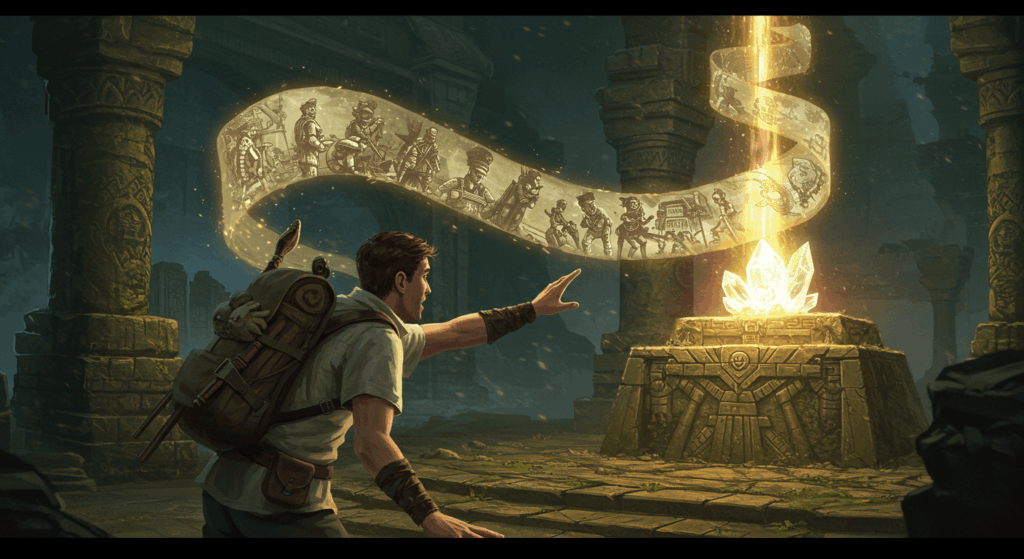
インディジョーンズみたいなの好きです。
星間旅路のメロディ
「宇宙の静けさに包まれながら、漂流する過去の音楽を捜し求め、銀河の奥底でその旋律に耳を傾ける。」
「この電波はどこの星からきたのだろうか。」
楽しそうな周波数に感じます。